
Loans is a new area in AssetAccountant for chattel mortgages and PP&E loans. This article shows you around the Loans screen and the information it holds. To check whether your register has it, see Am I in the new Loans feature?
The Loans screen
Select Loans from the menu on the left. The screen has three tabs.
Balance shows your loans grouped by asset group, with the opening and closing position for the period selected at the top of the screen: principal, interest accrued and total liability, plus the principal and interest movements in between.
Payments lists upcoming payments across all your loans, with the payment date, the finance provider, and the split between principal, interest and other.
Search Loans finds a loan by name, code or reference, and shows its finance provider, commencement date, number of payments and amount financed.
 Loans (new) — the Balance tab.
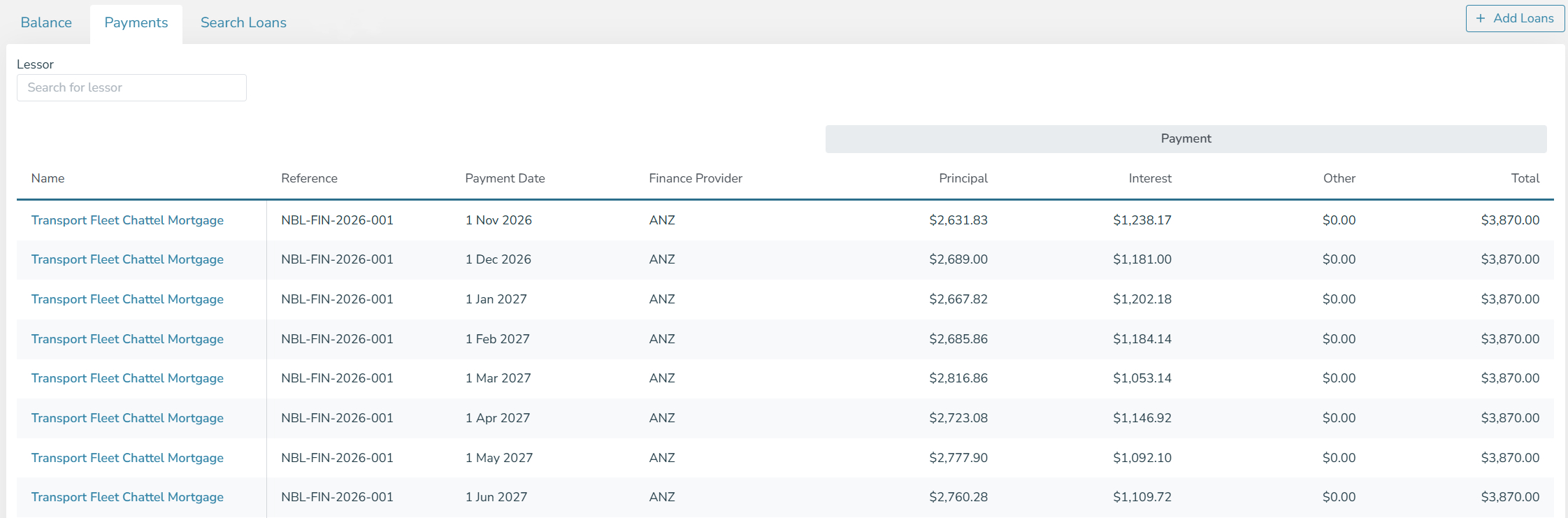 Loans (new) — the Payments tab.
Adding a loan
Select Add Loans on the right side of the screen. You can enter one loan at a time or import several from a file. A single loan is entered in three steps: the payment schedule, the loan's description and finance provider, and the assets it financed. For the steps, see How to add a loan. To import loans from a file and link them to your assets, see Add your assets, then import your loans.
Opening a loan
Select a loan to open it. At the top you see its reference, term, commencement and end dates, the amount financed, the finance provider, the total number of payments and the derived rate.
Below that, Loan at shows the loan's calculated balances at a selected date: whether it is active, how many payments have been made, the principal and interest balance, and the next payment date and amount.
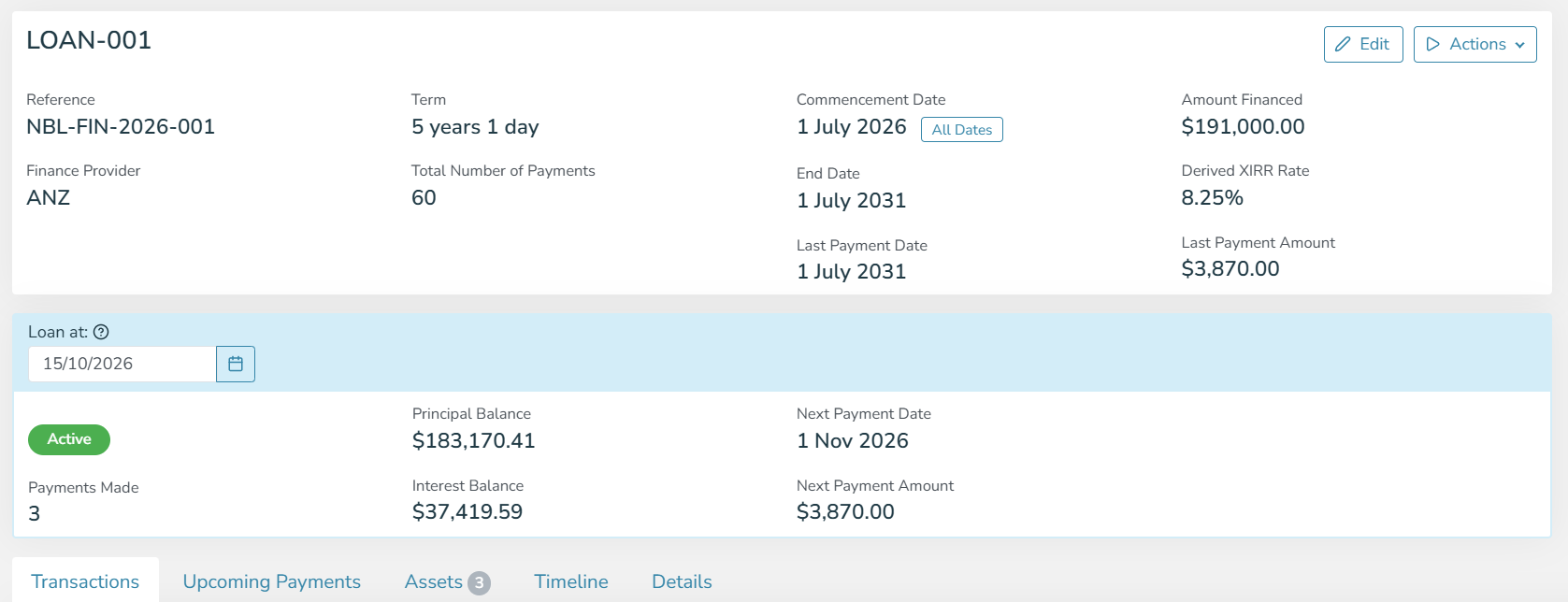 Loans (new) — a loan page, with the Loan at section.
The loan has five tabs:
- Transactions — every payment and interest accrual with the running liability, grouped by financial year. Export CSV gives you the same list as a file.
- Upcoming Payments — the payments still to come on this loan.
- Assets — the assets on the loan and the amount each one carries. Edit Allocations changes the split, and you can add or remove assets without rebuilding the loan.
- Timeline — a record of changes to the loan, with who made each one and when.
- Details — classifications, custom fields and attachments.
Loans is new and we are still adding to it. Bulk actions for loans are not available yet. See What is coming next in Loans.