Which version are you in?
Look at the menu on the left. If you see Loans with a New label, follow the first set of steps. If your leases sit inside your assets, follow the second set.
In Loans (new)
In Loans, you do not need a master lease. One loan can cover several assets, with the amount financed split between them on one page, and an asset can be taken off the loan when it is sold. Linking more than one asset to a loan is currently available on the Premium plan. See One loan for several assets.
Loans is new and we are still adding to it. Bulk actions for loans are not available yet. See What is coming next in Loans.
In the current version
AssetAccountant allows the management of leases which cover multiple assets, in particular using the following features:
- Creation of a "Master Lease"
- Allocation of assets to a Master Lease
- Splitting the total amount financed across these assets
- Reduction of the remaining lease balances in the event of a partial pay-out
This article covers Step 2.
2. Allocating assets to a Master Lease
To allocate assets to the Master Lease:
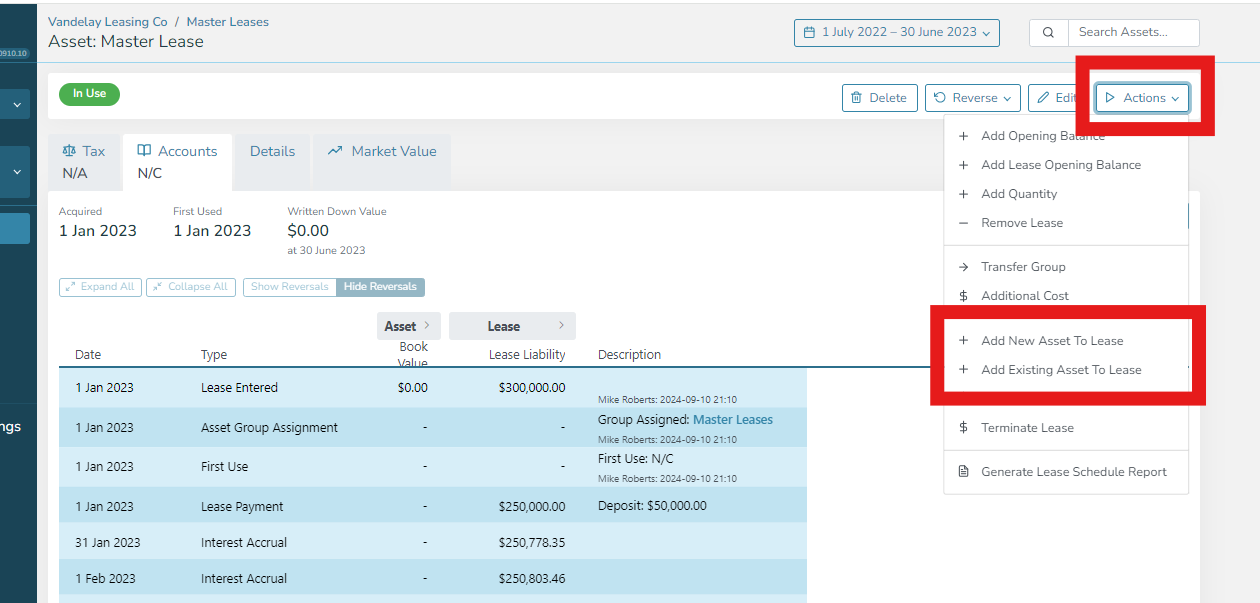
- Navigate to the Master Lease screen and the "Actions" menu button
- If the assets are not in the system already then select "Add New Asset to Lease"
- If the assets are already in the system then select "Add Existing Asset to Lease"
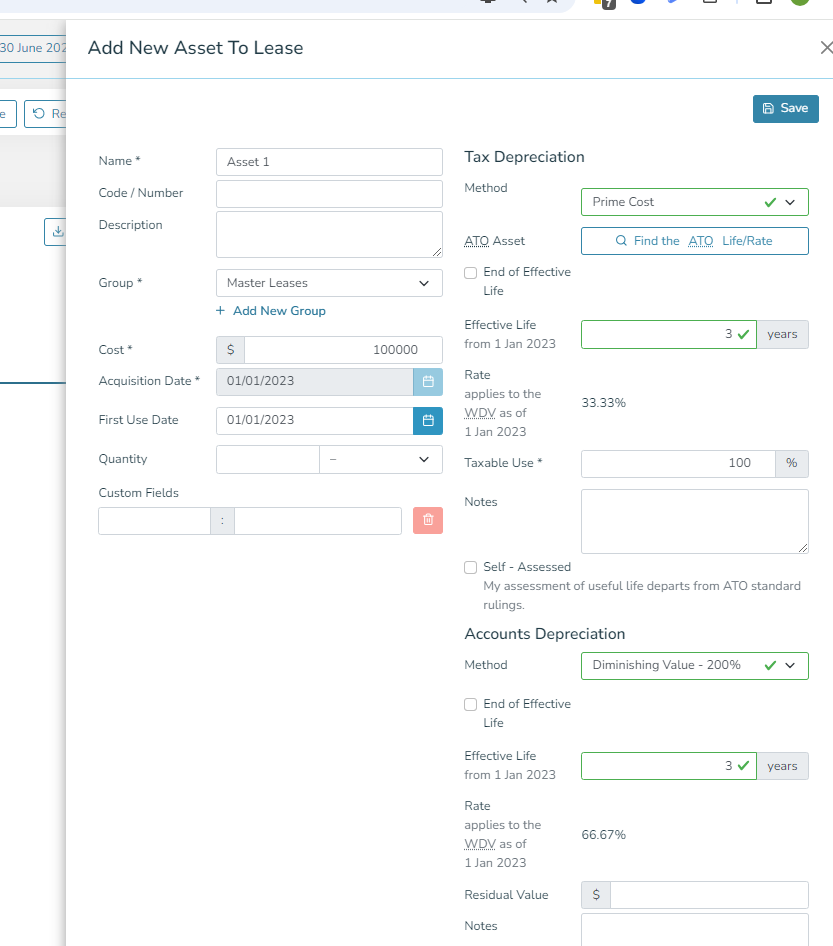
If you are adding new assets, then you will need to complete the following side panel to enter all the details for the asset and press Save:
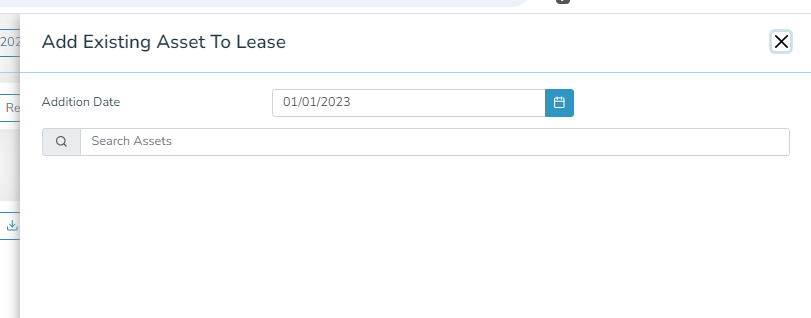
To add existing assets, you will be asked to search for the asset and add it from this screen:
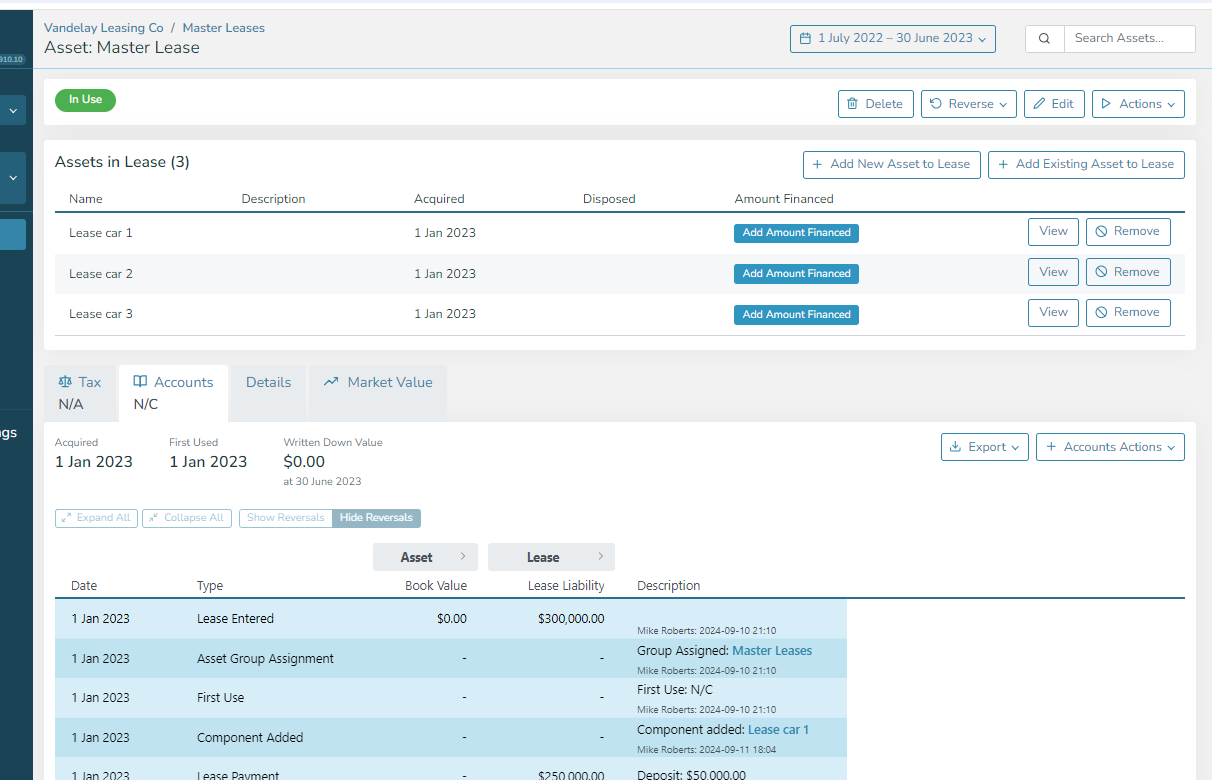
Once the assets have been associated with the lease, they will appear at the top of the Master Lease screen and each asset will show its parent lease on the screen.