
AssetAccountant is rolling out Loans, a new area for chattel mortgages and PP&E loans. This article shows you how to tell which version your register is on, so you can follow the right steps in our other articles.
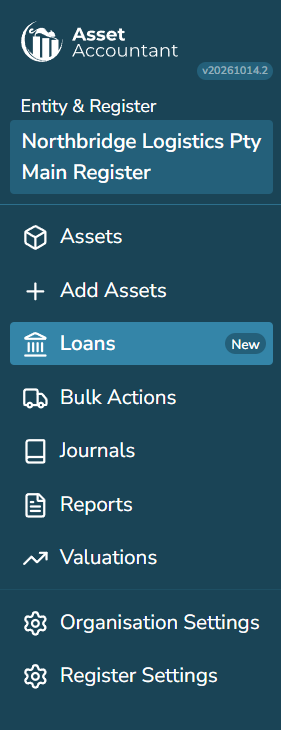
Look at the menu on the left
If you see Loans with a New label, your register is using Loans (new).
If there is no Loans item and your finance arrangements sit inside your assets, you are using the current version.
If you have more than one register, check each one separately.
What is different in Loans (new)?
- Dedicated Loans area: Loans have their own area with balances for the period, a list of upcoming payments across all your loans, and loan search.
- Loans linked to assets: Each loan is linked to the assets it financed. One loan can cover multiple assets, with allocations managed on one page. Linking more than one asset to a loan is currently available on the Premium plan.
- Flexible asset management: Assets can be added to or removed from a loan without rebuilding it.
- Refinancing history: Refinancing creates a new version of the loan and preserves the previous version on a timeline.
- Balances on any date: You can view the loan balance on any date and export payment and interest accrual transactions to CSV.
- Dedicated loan reports: Loans has its own set of reports, such as Loan Outstanding Balances, Interest Expense by Loan and Loan Payment Activity. You will find them under Reports > Register Reports > Loan Reports.
Right of use leases
Right of use leases are not part of Loans (new) yet.
Loans is new and we are still adding to it. Bulk actions for loans are not available yet. See What is coming next in Loans.