
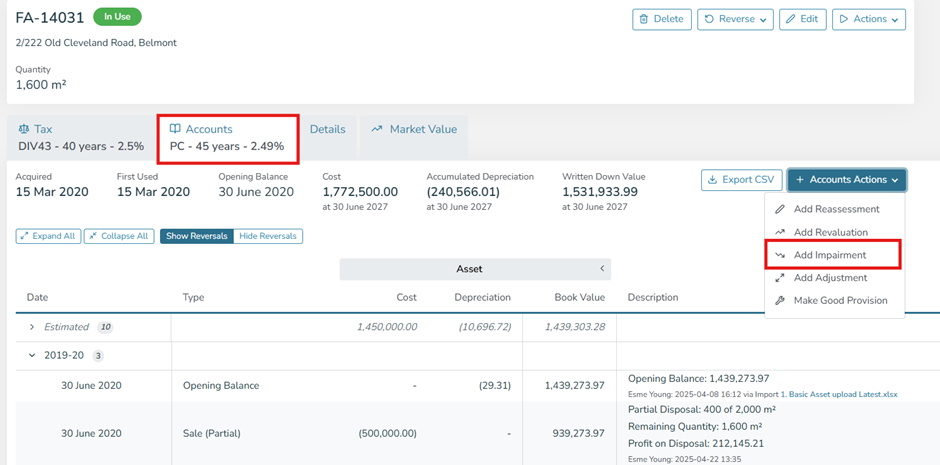
- From the View Assets page, select the asset you would like to Impair,
- Ensure you are in the appropriate regime (Accounts),
- Select 'Accounts Actions',
- Select 'Add Impairment',
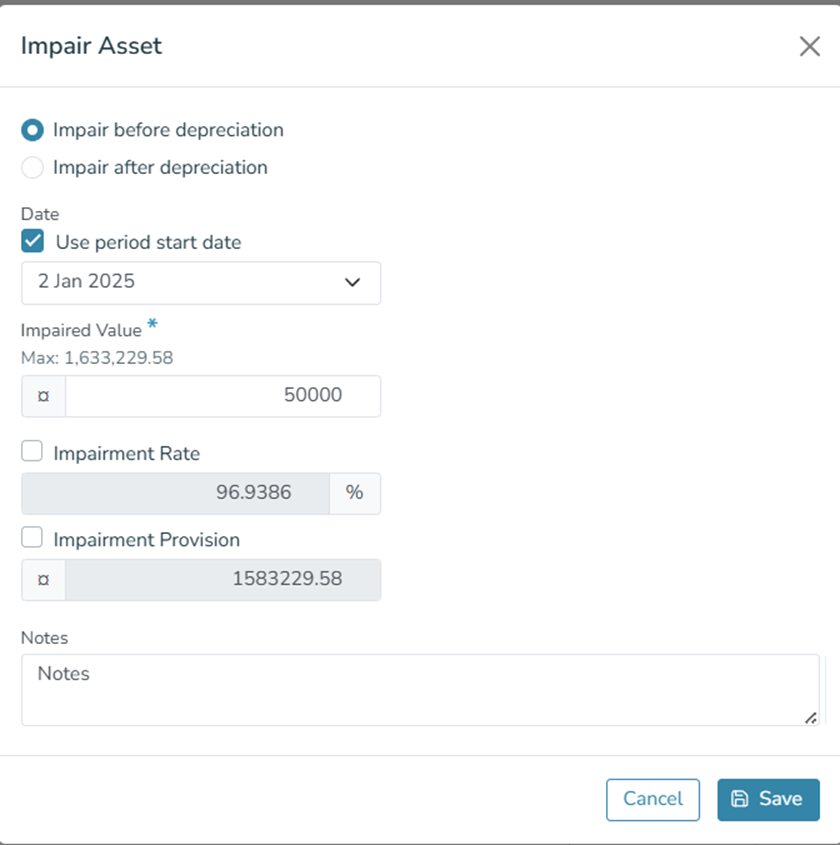
- Select to Impair before or after depreciation on that day,
- Enter the desired impairment date, value, and any notes,
- Select 'Save'.
- Caution: Leave the Impairment Rate and Impairment Provision amounts as calculated values. Only tick these boxes if you have unique circumstances where you need to edit these.
Note: Revaluations and Impairments are IFRS and USGAAP accounting treatments, ensure compliance before saving.